OH&S Forms: digitizing where it counts
The Brief
The Need in Occupational Health Workflows
Every day, millions of people across the United States — from healthcare workers and first responders to lab researchers — rely on respiratory protection to stay safe on the job. Behind the scenes, keeping these workers protected requires coordination, compliance, and testing.
At Risk and Safety Solutions (RSS), we develop B2B SaaS and collaborate directly with safety professionals to build the tech they need to do this work. This case study details how we took on the Respirator Fit Test application, a project born out of a need at UCSF's Respiratory Protection Program.
Historically, Occupational Safety and Industrial Hygienists have had to manage this complex testing process using paper forms. Our goal was to change that. We took a fragmented, paper-heavy workflow and turned it into a digital experience — faster, less error-prone, and much easier for the people tasked with keeping workers safe.
Context
Discover & Define
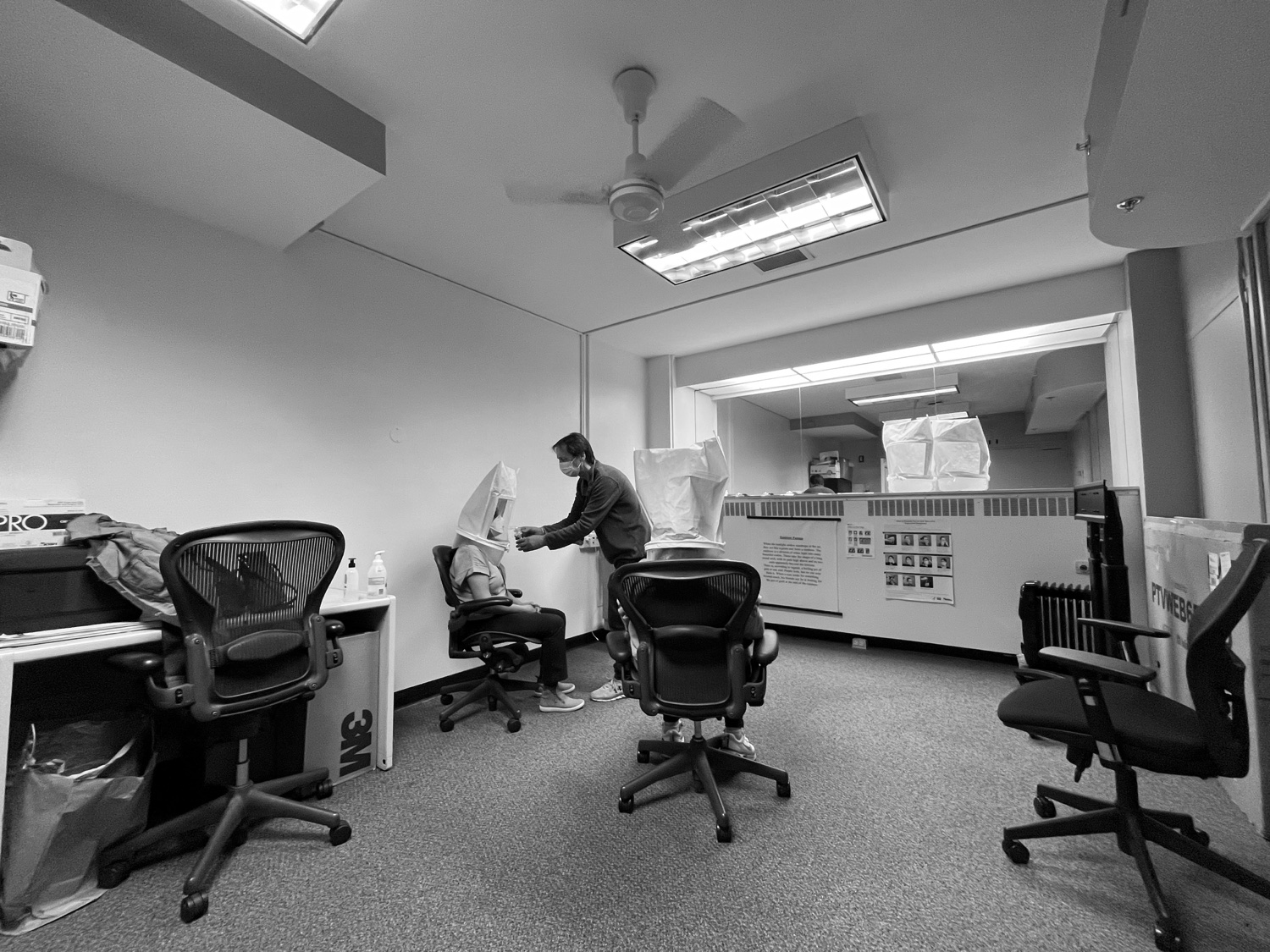
The testing site sat nearly two hours from our office, so every visit had to count. I interviewed the Occupational Safety and Industrial Hygienist who ran the program and paired those conversations with contextual inquiry, watching how fit test sessions actually unfolded on site. The goal was to map the workflow end to end and find where digitizing would make a real difference for the people running the program — not just put the same paper form on a screen.
Insights
Scheduling was its own job

Appointments, reminders, and walk-ins all lived outside the paper process. Employees often wanted to squeeze a fit test into a lunch break, and there was no easy way to fold them into the day's schedule. Any digital solution had to treat scheduling and reminders as a first-class part of the workflow, not an afterthought.
Paper forms meant doing the work twice

After each session, which could run one to three participants at a time, the Industrial Hygienist had to manually enter everything from paper into his desktop. That double entry cost time and invited errors, and tracking a participant's status across forms was fragmented at best.
Admins had no line of sight on the program

With testing happening across three campuses, administrators had no high-level view of engagement, respirator trends, or compliance status. The data existed — it just lived on paper where nobody could act on it. Metrics needed a home of their own.
User Profiles
Research revealed that users interacted with the digital form in distinct ways depending on their role, responsibilities, and goals. Each entered the RSS portal from a different point of need, so I identified three primary user profiles.
EH&S Professional
Primary goals: Program oversight, reporting, and compliance tracking.
Key tasks:
- Verify participant identity
- Conduct respirator fit testing sessions
- Log testing data and determine the best-fit respirator for job requirements
- Review and track participant results
Occupational Safety and Industrial Hygienist
Primary goals: Facilitate fit testing and ensure proper respirator selection.
Key tasks:
- Verify participant identity
- Conduct respirator fit testing sessions
- Log testing data and determine the best-fit respirator for job requirements
- Review and track participant results
Fit Test Participant
Primary goals: Complete required fit testing efficiently.
Key tasks:
- Access the portal to schedule fit test appointments
- Review fit test status and requirements (if applicable)
- Complete required pre-test steps, including facial hair compliance, and any necessary documentation (if applicable)
Process
Qualitative
I gathered as much information as I could from the Occupational Safety and Industrial Hygienist to understand the challenges he faced, and to see how digitizing the experience could ease his pain areas — like manually entering information into his desktop after each fit test, which could range from one to three participants at a time.
Usability Testing
Ideas were tested through paper sketches, low-fi wireframes, and clickable prototypes before anything reached development. Surfacing usability issues early kept rework down and kept the designs honest to how sessions actually run.
Insights
After user interviews, contextual inquiry, and analyzing the gathered data, I categorized the insights into three categories:
- scheduling and reminders
- digital form and tracking
- metrics
Solution
The RSS Fit Test application brings the whole workflow into one place: managing forms, scheduling appointments, and monitoring ongoing metrics — from check-in to reporting.
Simplified Form Management
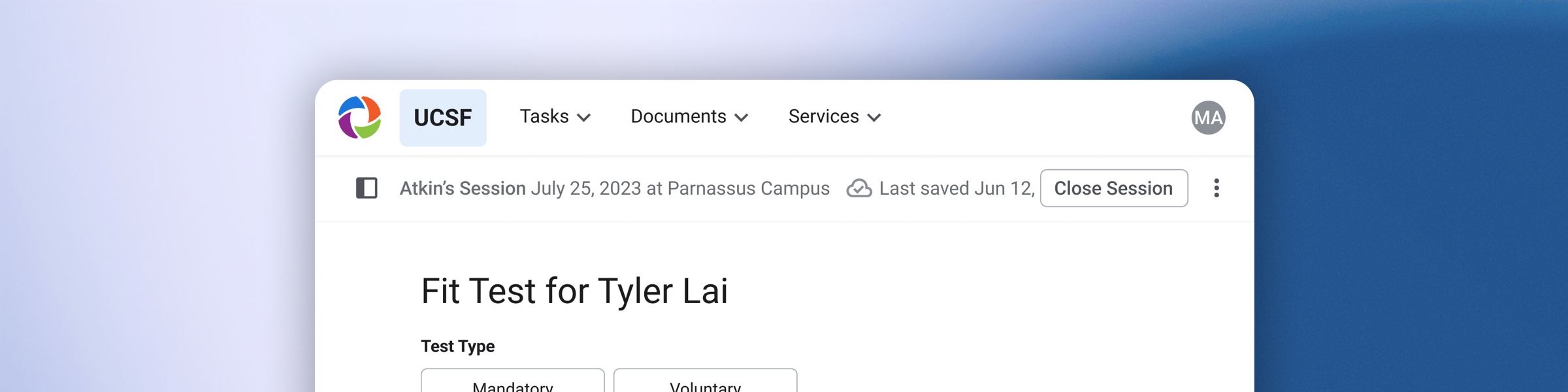
Got a walk-on? Employees often want to squeeze in a fit test appointment during their lunch break. No problem. With integrated people-search, Industrial Hygienists can easily look up anyone in the database and see the impromptu session through from start to finish.
Streamlined Fit Test
Testing administrators can efficiently manage active fit test sessions, log results, verify participant information, and determine appropriate respirator fit.
Actionable Reporting & Metrics
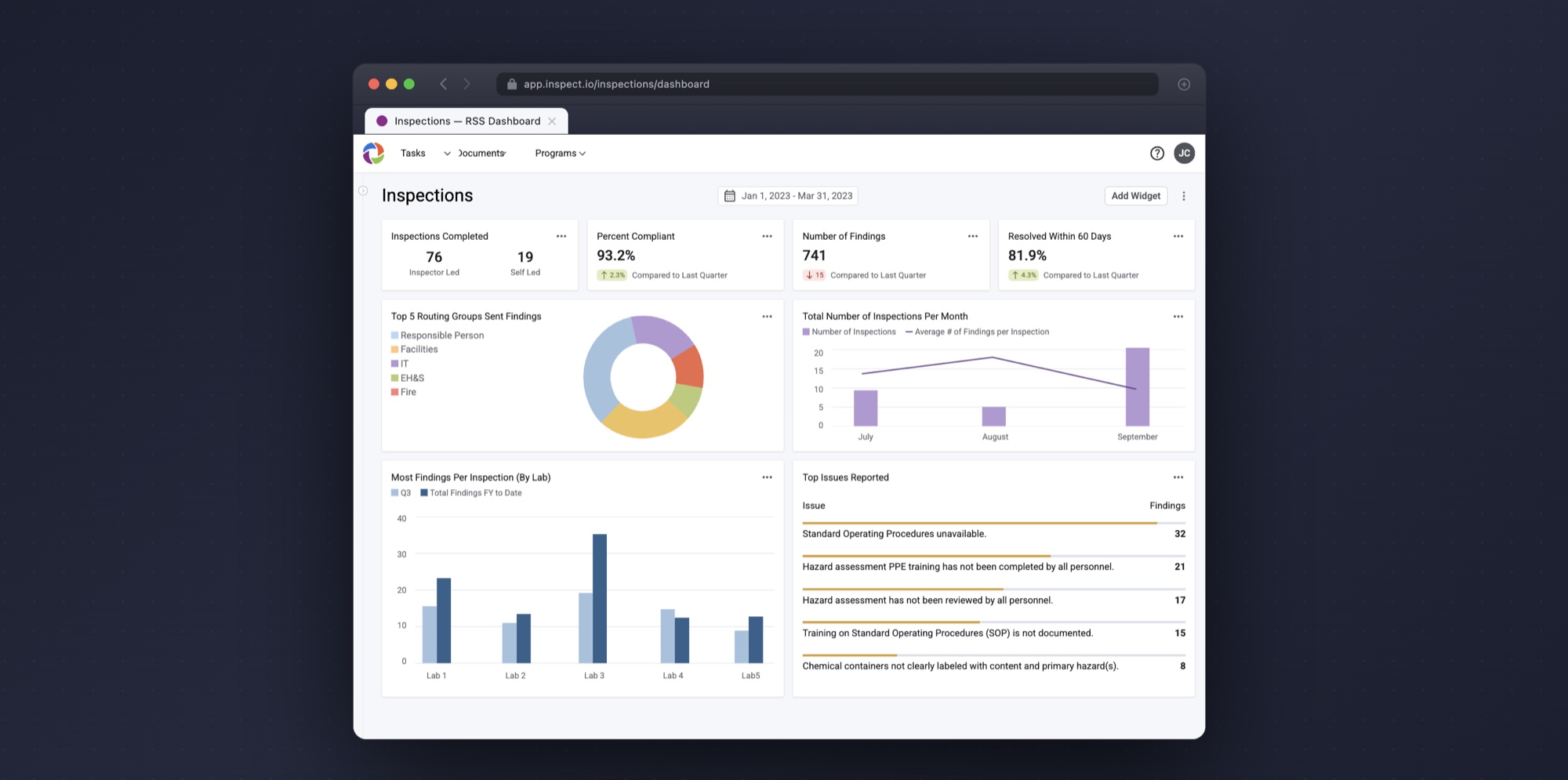
The dashboard is a web tool designed for busy admins with packed schedules. By surfacing qualitative insights for each respirator type, administrators can make well-informed decisions with high-level visibility into program engagement, respirator trends, and compliance across three campuses.
The Outcome
Release
UCSF switched over. The Industrial Hygienist who used to end every session with a stack of paper and a desktop to re-enter it into now runs the program in the application — and it stuck. Since implementation, the team has been exploring integration with SimplyBook, their scheduling tool, to fold booking even deeper into the workflow. A clearly defined MVP kept the project focused and on time even as requests expanded, including opportunities to adapt the system for other UC programs.
Project Learnings
1. Design for operational realities
Designing for a respirator fit testing program meant understanding the constraints of real-world operations — limited administrator capacity, compliance requirements, and multi-campus coordination. Solutions needed to support efficiency in fast-paced testing environments while staying intuitive for participants with varying levels of familiarity. It reinforced the importance of grounding product decisions in operational context, not just ideal user flows.
2. Seek out feedback early and continually
With the testing site nearly two hours away, in-person collaboration was limited, and early stakeholder feedback became essential. Testing ideas through paper sketches, low-fidelity wireframes, and clickable prototypes helped surface usability issues sooner, reducing rework and keeping designs aligned with real workflows.
3. Prioritize for an effective MVP
A clearly defined MVP kept the project focused amid expanding requests, including opportunities to adapt the system for other UC programs. Prioritizing core user needs let the team deliver a high-quality solution on time while planning for future scalability.
Wanna see more?
Want to hear how I ended up enjoying occupational health and safety? Not your typical mid-20s passion — but I'm more than happy to chat about how I got here, and my process, over a call. Reach me at jasminevc99@gmail.com.